If you use a VPN to protect your online privacy, you might have already noticed a frustrating trend: some banks and credit unions won’t let you log in while connected through a VPN.
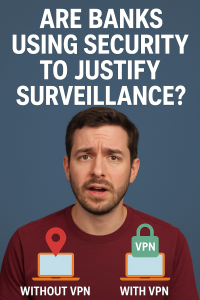
This isn’t always obvious—sometimes you just see a vague “Secure Connection Failed” error, or the site simply refuses to load until you turn your VPN off. Since I recently covered VPNs in my VPN Blocked? Here’s Why Banks Don’t Want You Using One, I wanted to dive deeper into why this happens, which banks are known for blocking VPNs, and what you can do about it.
Why Do Banks Block VPN Access?
Banks and credit unions prioritize security, and many see VPN traffic as a potential risk. Their fraud-detection systems often flag VPN IP addresses as “suspicious” because scammers and hackers also use them to hide locations.
Instead of risking unauthorized access, some institutions simply block all VPN traffic or force additional verification steps.
In practice, this means:
- Login errors like “Secure Connection Failed” or “Stronger security required.”
- Being able to log in only with the VPN turned off.
- Restricted features (like mobile check deposits or transfers) when connected to a VPN.
Banks and Credit Unions Known to Block VPNs
Here’s what’s been confirmed or widely reported by users:
- Credit Human – Enforces strict TLS/security checks. VPN connections often trigger errors.
- Ally Bank – Users report login failures while connected through VPN services.
- America First Credit Union – Reports suggest they use Cloudflare to block known VPN server IPs.
Community discussions (Reddit, forums, VPN user groups) estimate that 30–40% of U.S. banks may restrict VPN access in some way—even if they don’t publicly admit it.
Third-Party Cookies: Another Hidden Roadblock
It’s not just VPNs—your browser settings matter too. Many online banking platforms require cookies to be enabled for login sessions to work. If you block third-party cookies in your browser for privacy (which is usually a smart move), you might find that your bank won’t let you log in at all.
The frustrating part? Allowing cookies often means you’re also letting in a flood of third-party trackers, consumer profiling tools, and ad networks that banks and their partners rely on for marketing and sales. So while you may solve the login problem, you also expose yourself to the exact kind of tracking that privacy-minded users try to avoid.
How to Tell if Your Bank Blocks VPNs
You might be affected if:
- Your login only works when the VPN is turned off.
- The banking site or app shows a 403 Forbidden, TLS, or connection error.
- Certain features (deposits, transfers, bill pay) get disabled while connected.
Workarounds and Tips
If you want the privacy of a VPN but still need to access your bank, here are some practical options:
- Split Tunneling – Route only your banking traffic outside the VPN, while keeping everything else protected.
- Dedicated or Residential IP VPN – Some VPNs offer unique IP addresses that are less likely to be flagged.
- Contact Your Bank – They may whitelist certain secure connections or at least explain their security requirements.
- Temporarily Disable VPN – Not ideal, but sometimes the only quick fix.
Final Thoughts
VPNs are an essential tool for privacy and security online—but when it comes to banking, some institutions see them as a red flag.
If you’ve run into these issues, you’re not alone. From Credit Human to Ally and beyond, more banks are tightening their security rules around VPNs. Add in the requirement for cookies, and the picture gets even messier: security, convenience, and privacy are constantly at odds.
👉 For a deeper dive into VPNs and how to use them safely, check out my VPN Blocked?.
Join the Conversation
I’d love to hear from you: does your bank block VPNs or require cookies to log in? Share your experience in the comments.
And if you found this helpful, subscribe to my YouTube channel for more privacy and security tips. That way you won’t miss the next deep-dive into the tools that keep you safe online.


Please add that Navy FCU will not let you access any page while your VPN is on. I will never turn-off my VPN, no way. I just access Ally Bank, no problems